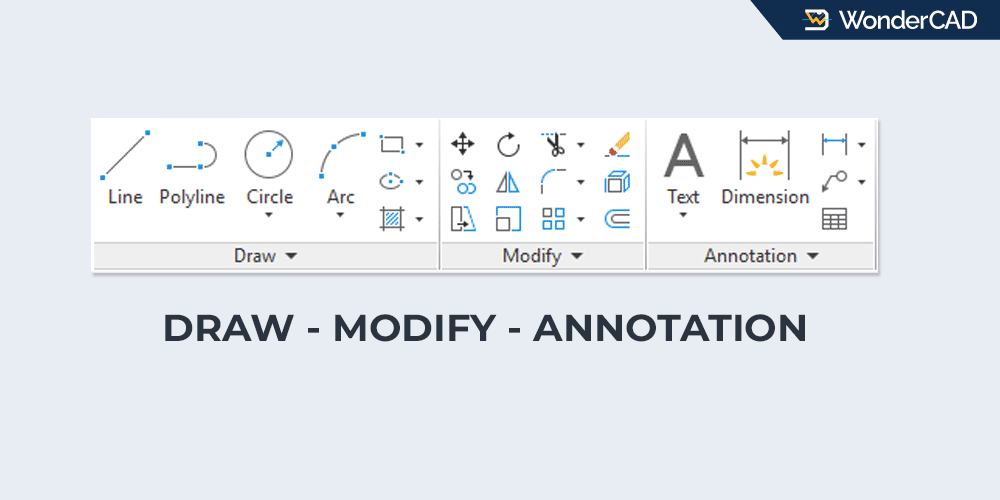
In the previous article, I mentioned that the commands frequently used to create drawings in AutoCAD are in the Draw, Modify, and Dimension command groups.
In this article, I’ll try to explain where these command groups are located in the Menu Bar and Ribbon Panel. I’ll also briefly explain the frequently used commands within these menus.
Note: screenshots in this article are taken from the Drafting and Annotation workspace type.
For a more detailed explanation of each command, including its function and how to use it, we’ll explore it in subsequent articles.
A. “Draw” command group
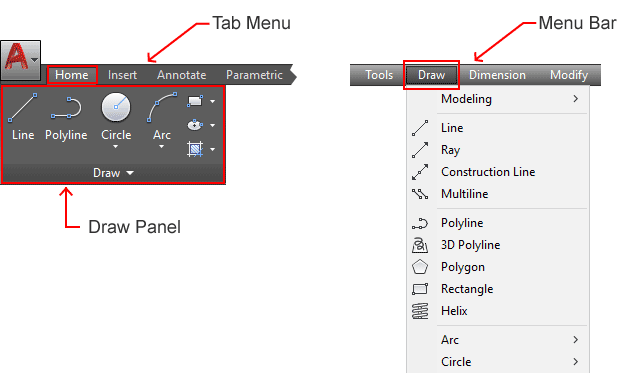
The Draw command group contains commands whose function is to create objects. Some commands in the DRAW command group that are frequently used include:
We can easily find these commands in the “Draw” menu on the Menu Bar or in the Ribbon Panel under the “Home” tab. See the image below:
B. “Modify” command group
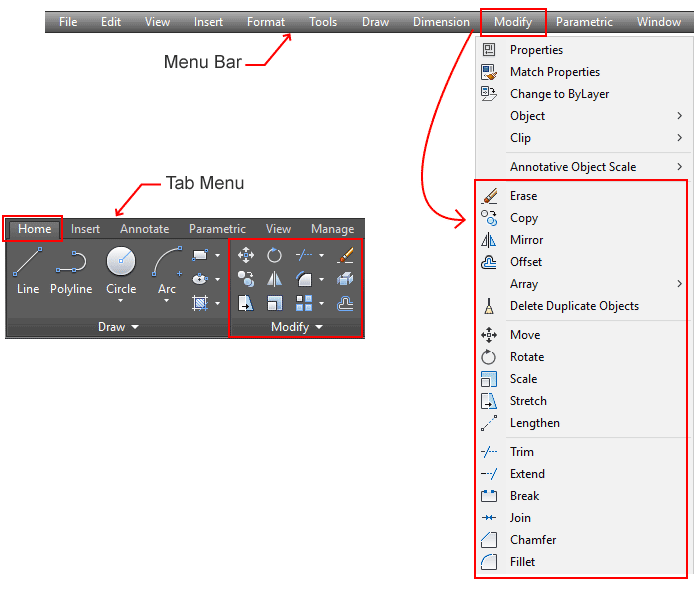
The Modify command group contains commands used to modify objects. Some commands that are often used include:
We can easily find these commands in the “Modify” menu on the Menu Bar or in the Ribbon Panel under the “Home” tab. See the image below:
C. “Dimension” command group
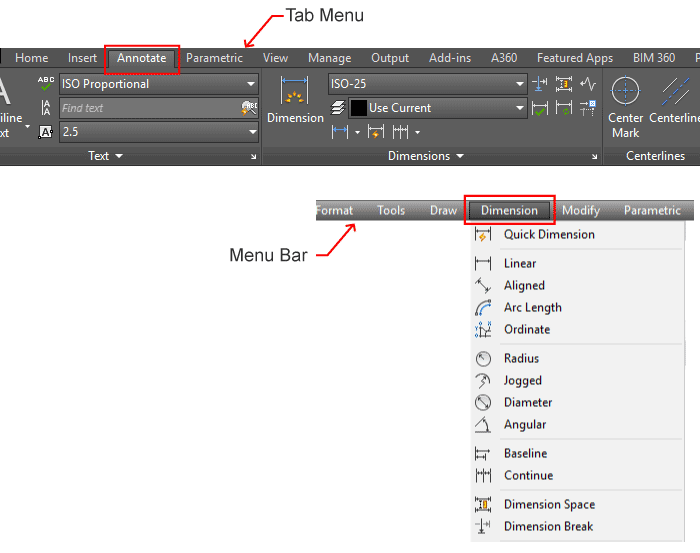
The Dimension command group contains commands used to create dimensions and annotations. Some of the most frequently used commands include:
- DIMENSION
- DIMLINEAR
- DIMALIGNED
- DIMANGULAR
- DIMRADIUS
- DIMDIAMETER
- DIMORDINATE
- DIMCONTINUE
- DIMBASELINE
- DIMJOGGED
- MULTILEADER
- Geometric Tolerance
- TEXT and MTEXT
We can easily find these commands in the “Dimension” menu on the Menu Bar or in the Ribbon Panel under the “Annotate” tab. See the image below:
In the next article, you will learn how to use each of the commands mentioned above.
Leave a Reply